
 Tiếng Việt

Setting up a live video stream from your packing station to SwiftTrack PDA is now easier than ever. With our latest update, you can transform your iPhone or PDA into a dedicated live-streaming camera in just a few taps.
Whether you want to improve quality control, document your fulfillment process, or monitor operations, follow this quick guide to get your packing station online!
Getting Started: Step-by-Step Guide
Follow these four simple steps to connect your iOS device to the SwiftTrack web dashboard.
1. Download the SwiftHub App
First, ensure you have the latest version of the SwiftTrack PDA app downloaded onto your iPhone or PDA device from the App Store. Keeping the app updated ensures you have the best streaming performance and access to new features.
2. Login with Apple
Open the app and sign in securely using your Apple ID.
Important: Make sure you are logging in with the exact same account that is currently active on your SwiftTrack web dashboard to ensure a seamless sync.
3. Choose the Packing Module
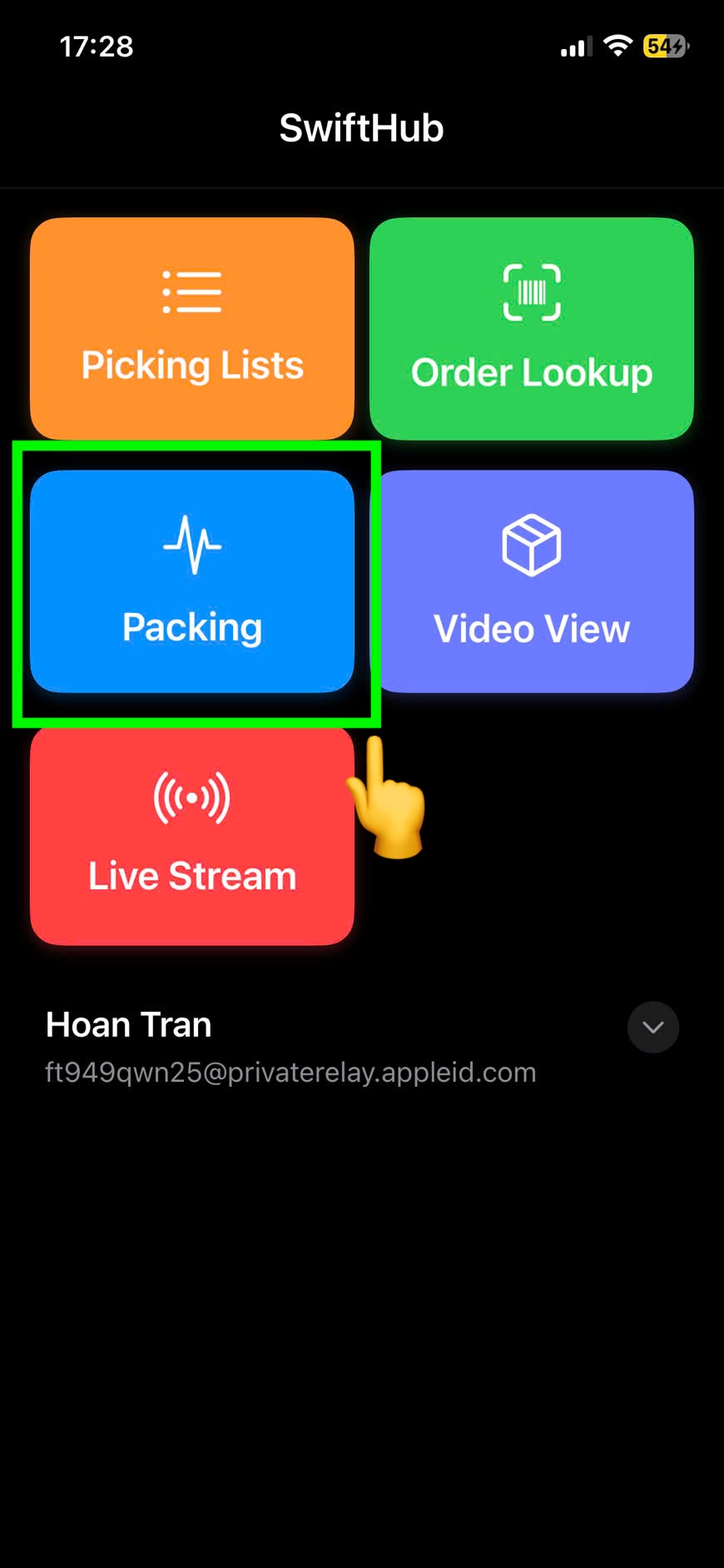
From the main app dashboard, tap on the blue Packing button. This will take you directly to your active packing interface.
4. Switch to Livestream
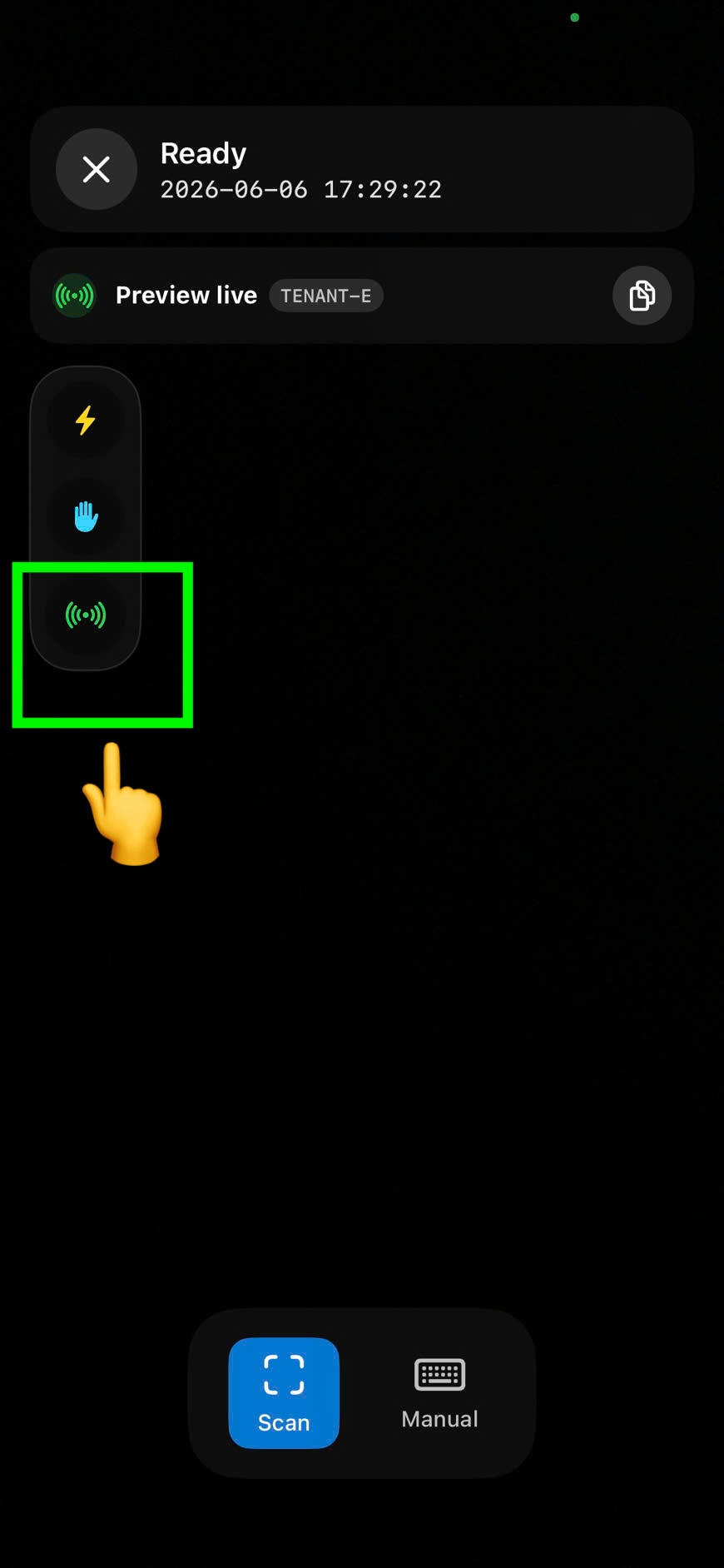
Inside the packing interface, look for the red Live Stream icon and tap it. Your iPhone camera will immediately connect to SwiftTrack, and your web dashboard status will automatically switch from “Standby” to “Live”!
💡 Pro Tips: Stopping the Recording
We know efficiency is key at the packing station. We’ve built in a few neat hardware tricks so your packers don’t constantly have to reach over and tap the screen to end a video recording:
The Keyboard Trick: Simply hit the Enter key on your connected keyboard or barcode scanner to instantly stop the video recording.
The Lens Trick (Hands-Free): Don’t have a free hand? Just cover the iPhone camera lens for 1 second. SwiftHub will detect the darkness and automatically stop the recording for you!
Happy Packing! 📦
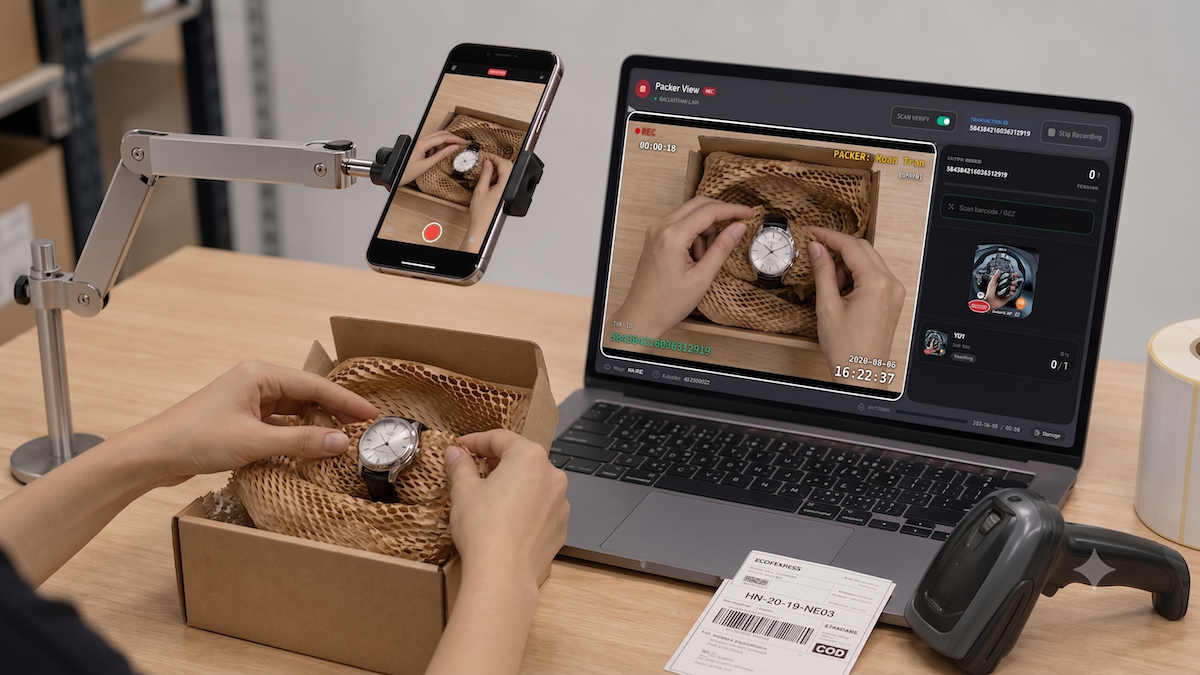
Optimizing your packing station with live video tracking has never been this intuitive. If you run into any issues getting your live stream connected or configuring your SwiftTrack PDA, reach out to our support team directly from your dashboard—we are always here to help!